> ## Documentation Index
> Fetch the complete documentation index at: https://docs.sorcerer.trading/llms.txt
> Use this file to discover all available pages before exploring further.
# How to Backtest
> Test and validate your strategies using our backtesting tool.
Start testing your strategies:
Click on Connect Wallet;
If you’re a presale buyer, you’ll receive credits automatically when you log in.
Enter custom parameters for your strategy;
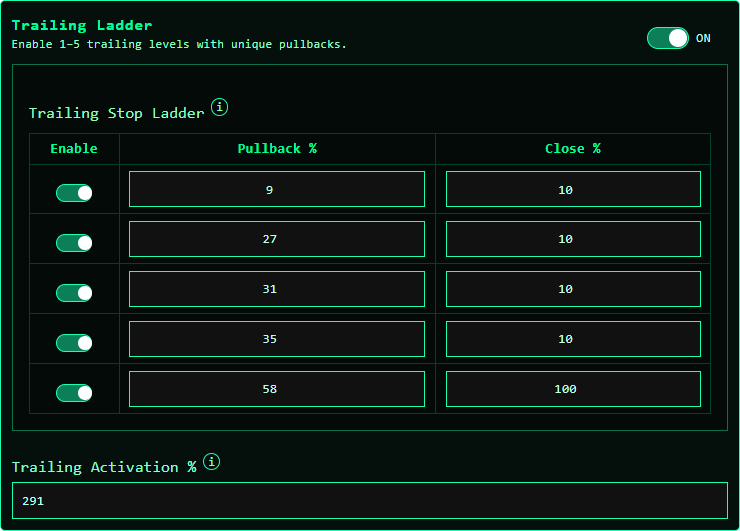 You can turn Trailing Ladder on or off. You can use up to 5 pullback levels and close percentages.\
\
The last level must be 100%, and all previous levels must be below 100%.\
\
Trailing Activation % defines how much the price must increase before trailing starts.
Example: with a 291% activation, trailing only begins once the token is up 291%.
You can turn Trailing Ladder on or off. You can use up to 5 pullback levels and close percentages.\
\
The last level must be 100%, and all previous levels must be below 100%.\
\
Trailing Activation % defines how much the price must increase before trailing starts.
Example: with a 291% activation, trailing only begins once the token is up 291%.
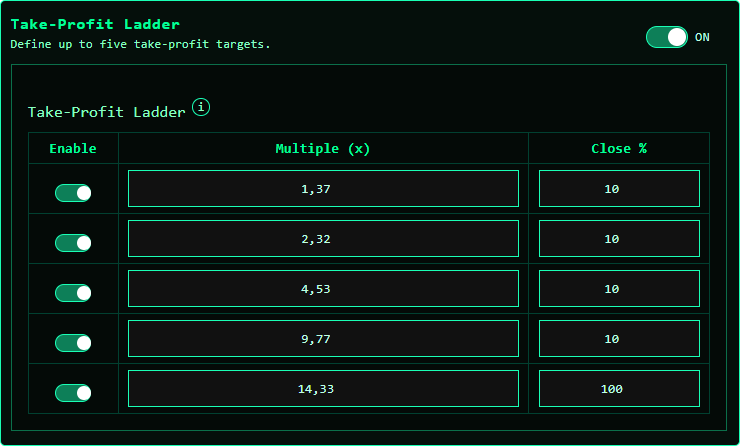 You can turn Take Profit Ladder on or off. You can set up to 5 take-profit levels and close percentages.\
The last level must be 100%, and all earlier levels must be below 100%.
You can use only Take Profit, only Trailing, or a mix of both.
You can turn Take Profit Ladder on or off. You can set up to 5 take-profit levels and close percentages.\
The last level must be 100%, and all earlier levels must be below 100%.
You can use only Take Profit, only Trailing, or a mix of both.
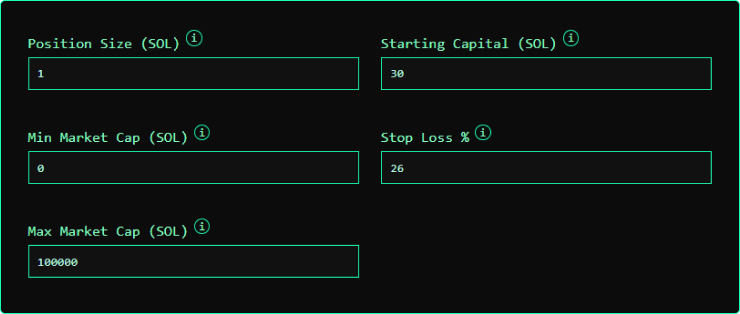 Set the position size (in SOL) for each trade, the starting capital (both are required to calculate drawdown), the minimum and maximum market cap in K (e.g., 100 = 100,000),\
and the Stop Loss as an integer (e.g., 26).
You can run for a single token, or all called tokens.
Set the position size (in SOL) for each trade, the starting capital (both are required to calculate drawdown), the minimum and maximum market cap in K (e.g., 100 = 100,000),\
and the Stop Loss as an integer (e.g., 26).
You can run for a single token, or all called tokens.
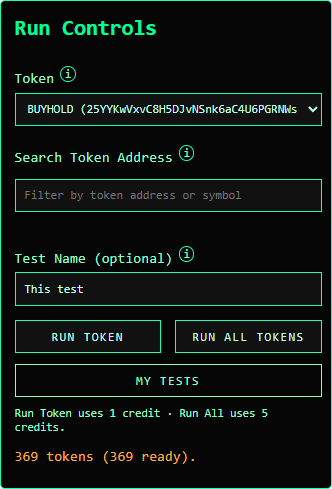 For single-token runs, choose a token from the picklist or search for one in the list.
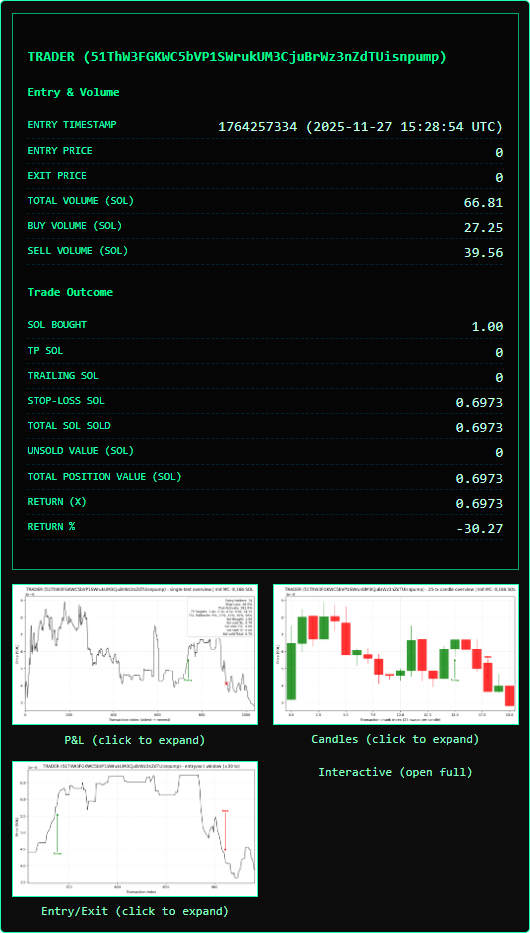 When running a single token (useful for building strategies that perform well on top winners), you’ll receive the parameters plus 3 graphs.
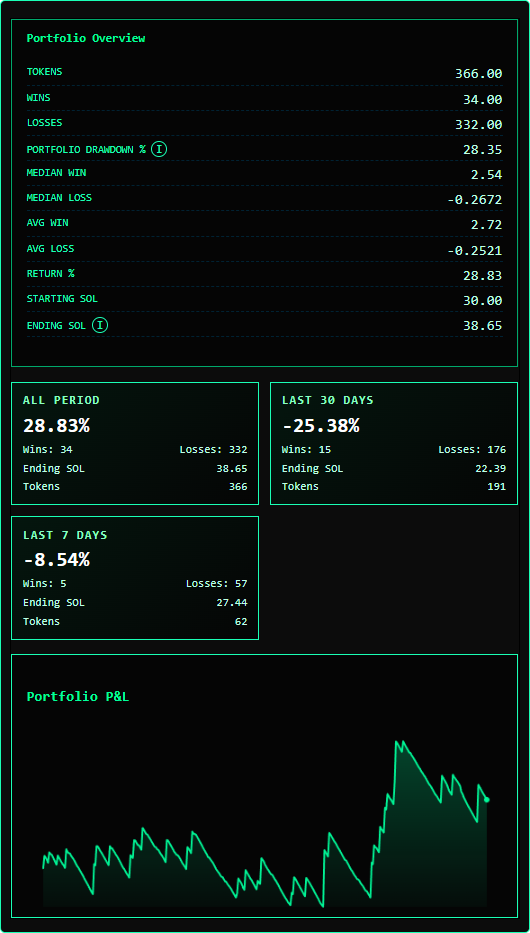 When running all tokens, you’ll receive the full multi-token report.
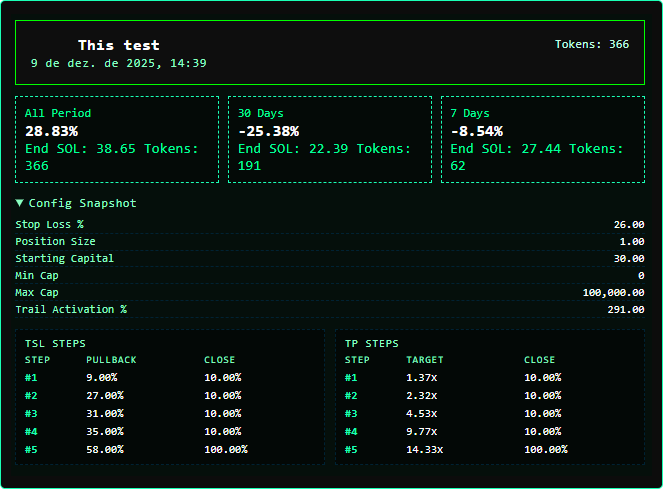
Each test shows its name, the date it was run, the results, and all parameters used.
When running all tokens, you’ll receive the full multi-token report.
Each test shows its name, the date it was run, the results, and all parameters used.