

Backtest Tool
Start testing your strategies:
1
Connect Your Wallet
Click on Connect Wallet;
2
Setting Parameters
Enter custom parameters for your strategy;
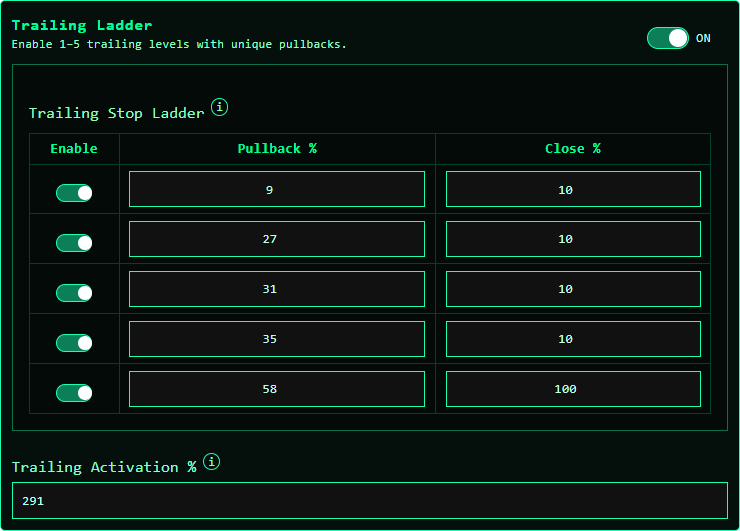
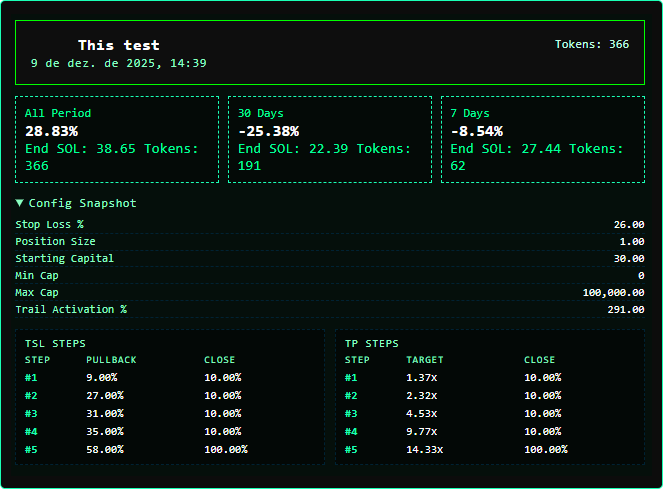
The last level must be 100%, and all previous levels must be below 100%.
Trailing Activation % defines how much the price must increase before trailing starts.
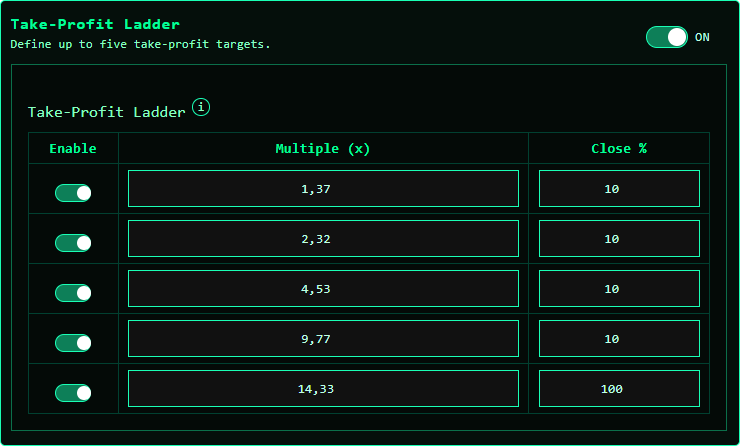
The last level must be 100%, and all earlier levels must be below 100%.
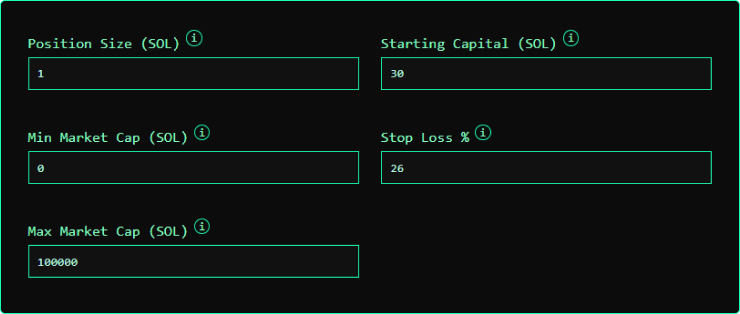
and the Stop Loss as an integer (e.g., 26).
Trailing Settings
Trailing Settings
The last level must be 100%, and all previous levels must be below 100%.
Trailing Activation % defines how much the price must increase before trailing starts.
Example: with a 291% activation, trailing only begins once the token is up 291%.
Take Profit Settings
Take Profit Settings
The last level must be 100%, and all earlier levels must be below 100%.
You can use only Take Profit, only Trailing, or a mix of both.
Core Trade Parameters
Core Trade Parameters
and the Stop Loss as an integer (e.g., 26).
3
Run
You can run for a single token, or all called tokens.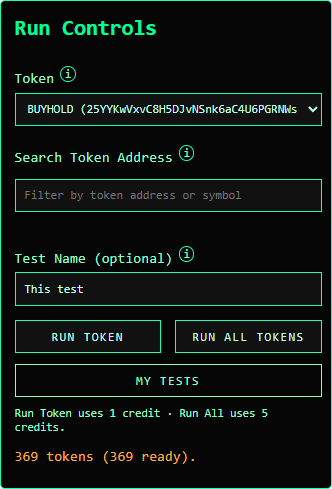
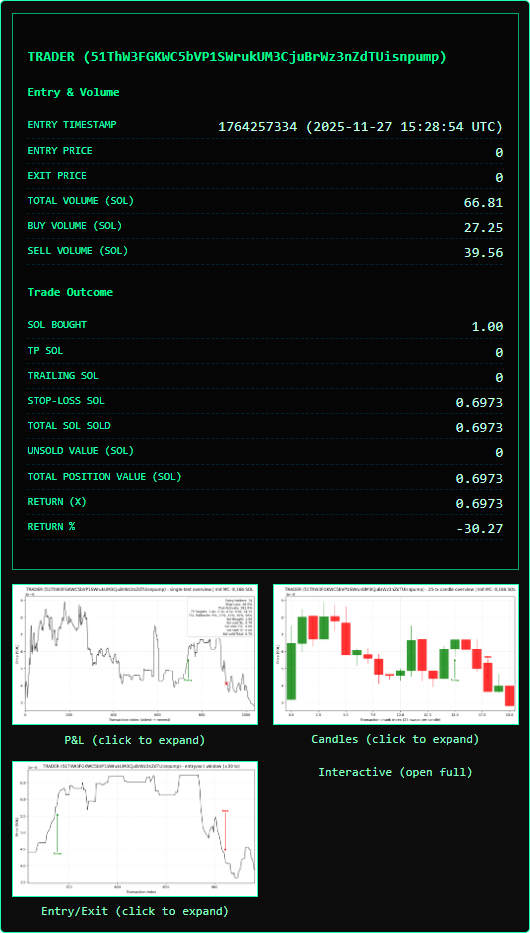
For single-token runs, choose a token from the picklist or search for one in the list.
Single Token Results
Single Token Results
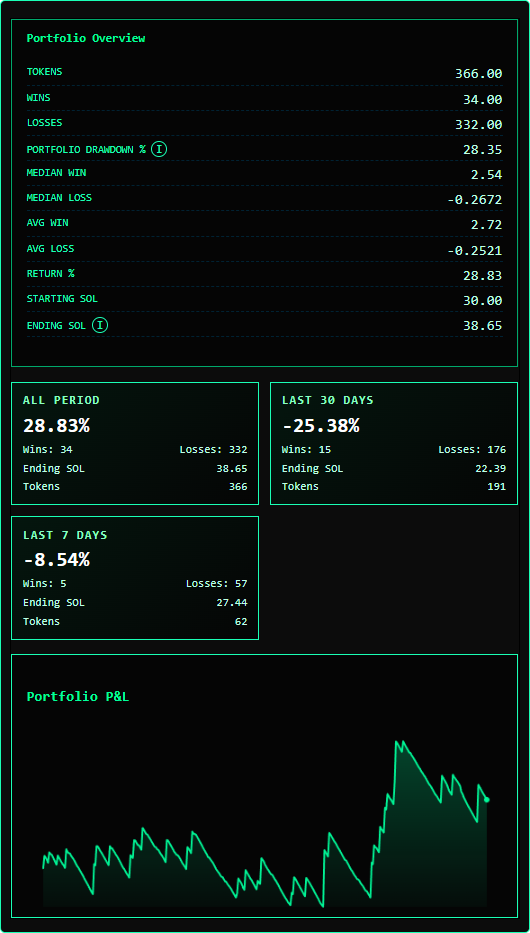
All Tokens Results
All Tokens Results